The long-awaited registration system promises a single portal — and tighter fraud controls.
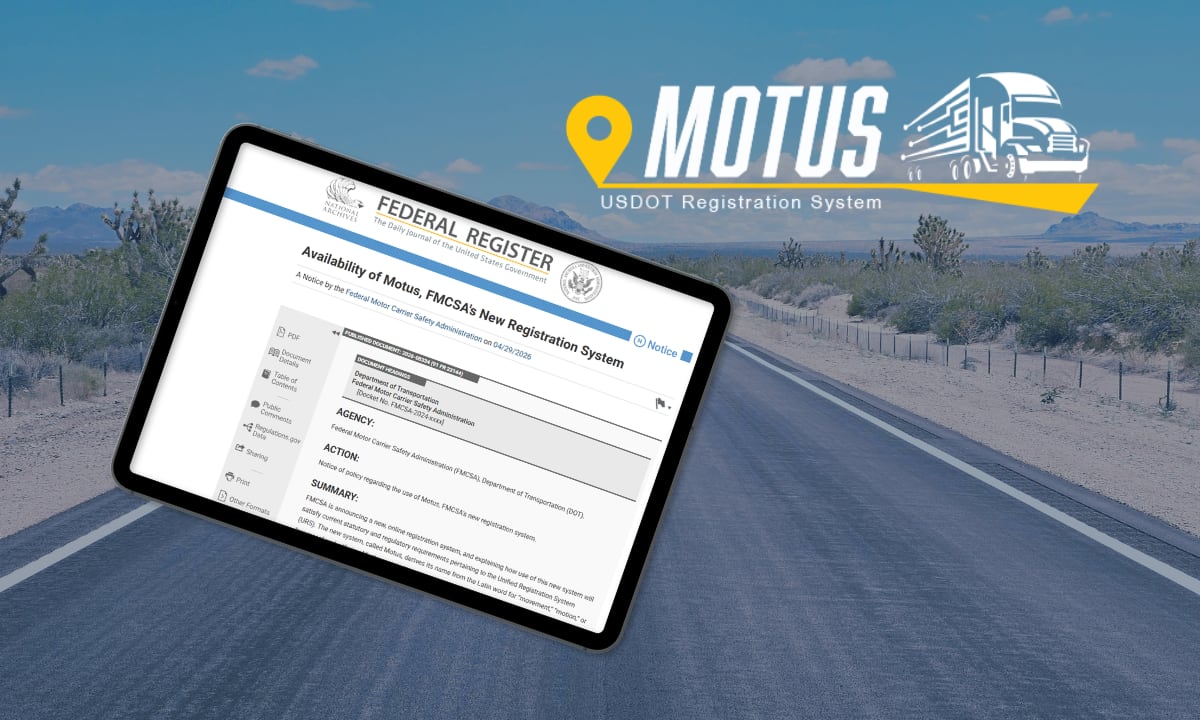
FMCSA is moving forward with Motus, its long-delayed modernization of the federal motor carrier registration system, and trucking fleets should prepare now for the broader rollout this year.
The new platform is designed to replace the agency’s patchwork of legacy systems with a single online portal for registering carriers, applying for authority, and updating company information.
Motus will give registrants intuitive tools such as auto-population, real-time data validation, and the ability to use on mobile devices.
Beyond streamlining those processes, the overhaul is aimed at improving data accuracy and strengthening identity verification — steps FMCSA sees as key to addressing fraud in the industry such as motor carrier identity theft and “chameleon carriers.”
A Long-Awaited Shift
Motus represents one of the most significant changes to federal motor carrier registration in decades. It will eventually replace systems such as the Unified Registration System (URS) and the agency’s Licensing & Insurance platform, consolidating functions into a single interface.
The effort traces back to requirements in MAP-21, passed in 2012, which directed FMCSA to develop a more unified registration system.
“Ultimately, the system will consolidate everything from USDOT numbers and biennial updates to hazmat registrations into a single, secure platform designed to combat fraud while streamlining compliance for legitimate operators,” said Brandon Wiseman of Trucksafe.com in a guide on his website.
FMCSA will sunset the current URS used for new applications for USDOT Numbers and Operating Authority, registration components of the Motor Carrier Management Information System (MCMIS) and the former Interstate Commerce Commission Licensing and Insurance system, established in 1994.
Who the Motus Transition Affects
- Motor carriers
- Brokers and freight forwarders
- Service providers (insurance filers, BOC-3 agents, compliance companies)
The first phase of implementation began late last year for “supporting companies.”
A Federal Register notice in late April alerted motor carriers that the agency is moving forward and that they should get ready now for the transition.
The notice does not provide details on an exact timeline other than in the second quarter.
Existing registrations remain valid during the transition
Fighting Fraud and Bad Actors
A major driver behind the new system is the rise in fraudulent carrier activity, including identity theft and so-called “chameleon carriers” — companies that shut down and reappear under new identities.
Motus is designed to make that more difficult by:
- Strengthening identity verification through Login.gov
- Validating business addresses and ownership information
- Linking registrations more closely to verified individuals
The goal is to help regulators identify suspicious connections earlier and get a clearer picture of new entrants into the industry.
The system addresses fraudulent registrations by incorporating advanced identity verification (via Login.gov and IDEMIA) and business address validation to minimize fraudulent registrations.
New identity verification software and user account roles will protect and control system access. New business verification and information edit checks will validate key information, such as principal place of business address.
What is Not Changing (Yet)
At initial launch, FMCSA is not:
- Eliminating MC/FF/MX docket numbers
- Changing BOC-3 filing requirements
- Implementing a new “safety registration” system
These proposals remain under consideration and will be subject to public comment.
What Should Fleets Do?
Keep using current systems until FMCSA tells you otherwise. However, there are steps fleets need to take in order to be prepared.
Trucksafe’s Brandon Wiseman says preparation will be key for motor carriers during this transition.
“Given past experiences, the rollout might involve system outages during peak update periods, data that doesn’t pre-populate correctly, and new requirements that weren’t in the old system,” he explained on the Trucksafe.com website.
Motor carriers don’t need to re-register immediately. Existing USDOT registrations remain valid until the system fully transitions in 2026.
At that time, all carriers will be required to:
- Create Motus accounts
- Verify their identity
- Update business information to maintain compliance.
In the meantime, carriers should prepare to create Motus accounts, expect identity verification requirements, and make sure current FMCSA records are accurate and up to date before the transition.
If you have a USDOT Number and/or Operating Authority (MC, MX, FF Docket Number) FMCSA said you should do the following to prepare for the launch of Motus.
- Ensure your current FMCSA Portal account is active. https://portal.fmcsa.dot.gov/login
- Verify your FMCSA Portal account user list and confirm you have the correct Company Official designated (this “Company Official” must be the company owner or an internal, direct employee who oversees registration, and not a third-party transportation service provider, freight broker, or outside consultant).
- Update your business information by completing your biennial update or MCS-150 via the FMCSA Portal. Keeping this data clean now makes identity verification (Motus) much smoother later.
Key Action: Verify Portal Company Official
Ensure the correct Portal Company Official is listed in the FMCSA Portal today. This will allow you to claim your USDOT Number in Motus and automatically populate your new Motus account with existing records, streamlining your set-up in the new system and keeping your company moving.
The Portal Company Official should be the company owner or individual authorized to sign documents on behalf of the company.
To claim a USDOT Number in Motus when the system launches for registrants, the Company Official must use the same Login.gov email to log into the FMCSA Portal and Motus.
How to Verify You are the Portal Company Official
- Log into Portal: Log into the FMCSA Portal. Check your Login.gov email as you log in—remember, the Company Official must use the same Login.gov email to log into the FMCSA Portal as they will use to access in Motus.
- Select My Profile: Locate the Account Management dropdown at the top of the page and select My Profile from the list.
- Go to Portal Roles Tab: Navigate to the Portal Roles/USDOT# tab.
- Select Your USDOT: In the USDOT # List on the left side of the page, select the appropriate USDOT Number.
- Verify Company Official Role: If you are the Company Official (the company owner or individual authorized to sign documents on behalf of the company), view the Requested Roles area and confirm that Company Official – Approved is listed.
Credit: Source link